Remote Work Communication Etiquette: The Unspoken Rules That Make or Break Distributed Teams
I watched a perfectly competent developer torpedo his reputation in three Slack messages. First, he @channel’d the entire engineering team at 11 PM about a non-urgent bug. Then he followed up with “hello?” when nobody responded within ten minutes. Finally, he sent a third message: “guess nobody cares about quality anymore.”

He wasn’t malicious — just clueless about remote work communication etiquette. Within a week, people started excluding him from important conversations. His manager had to have an awkward chat about “digital presence.” All because nobody taught him the unspoken rules of remote communication.
Remote work isn’t just office work through a screen. It’s a completely different communication medium with its own social norms, timing expectations, and etiquette rules. Get it wrong, and you’ll find yourself isolated, misunderstood, or worse — labeled as “that person” who makes everyone’s workday harder.

Remote work communication requires intentionality that office small talk never did
The Asynchronous Mindset Shift
The biggest adjustment isn’t technical — it’s psychological. Office communication happens in real-time with immediate feedback loops. You can read body language, catch someone in the hallway, or pop your head over a cubicle wall. Remote communication strips away these social cues and forces you to be more intentional about every interaction.
A lot of folks approach remote communication like they’re still in an office, just using different tools. They expect immediate responses, assume silence means disengagement, and treat every message like an urgent interruption. This creates a constant state of digital anxiety where everyone feels obligated to be “always on” to prove they’re working. The result is fragmented attention, decision fatigue, and the kind of communication overload that makes people dread opening their laptops.
The shift requires embracing asynchronous communication as the default mode. This means writing messages that stand alone without requiring immediate clarification, setting clear expectations about response times, and designing workflows that don’t depend on real-time availability. When you master this mindset, remote work becomes more focused and productive than any office environment. When you don’t, it becomes an exhausting performance of constant availability.
Understanding this fundamental difference changes how you approach every digital interaction. Instead of firing off quick questions that require back-and-forth clarification, you invest time upfront to provide complete context. Instead of expecting immediate responses, you plan your work to accommodate natural delays. Instead of using synchronous tools for asynchronous needs, you choose the right medium for each type of communication.

Slack Etiquette That Actually Matters
Slack etiquette goes far beyond “don’t use @everyone.” The real rules are subtler and more consequential because they affect how people perceive your professionalism, consideration, and competence. Poor Slack habits don’t just annoy people — they actively damage your ability to collaborate effectively.
Thread management is the most underappreciated skill in remote work. When someone posts a question in a channel and you want to respond, use a thread unless your response adds value for everyone watching the channel. This seems obvious, but watch any busy Slack workspace and you’ll see people constantly breaking this rule. They’ll post follow-up questions, clarifications, and side conversations directly in the channel, creating noise that makes it harder for everyone else to follow important discussions. Threading keeps conversations organized and prevents channel hijacking, but it requires the discipline to think about whether your message serves the broader audience or just the original poster.
Message timing reveals more about your remote work maturity than almost anything else. Sending non-urgent messages outside business hours signals that you either don’t understand boundaries or don’t respect other people’s time. This doesn’t mean you can’t work odd hours — it means you should schedule messages to send during normal business hours or clearly mark them as non-urgent. Most people check Slack on their phones, so your late-night message about tomorrow’s meeting agenda becomes an unwelcome interruption of someone’s evening. The solution is simple: write the message when you think of it, but schedule it to send at 9 AM.
Context is everything in text-based communication, but most people provide too little rather than too much. When you ask “can we change the deadline?” without specifying which project, deadline, or reason, you’re forcing the recipient to ask clarifying questions that could have been avoided. Better: “The client feedback on the homepage redesign came back more extensive than expected. Can we push the delivery deadline from Friday to Monday to incorporate their changes properly?” This gives the recipient everything they need to make a decision without additional back-and-forth.
Status indicators and presence management require more nuance than most people realize. Setting yourself to “away” when you’re in a meeting is helpful, but constantly toggling your status creates the impression that you’re either micromanaging your availability or not actually working. The most effective approach is setting clear expectations about your communication patterns rather than trying to signal your exact availability in real-time. Let people know you check messages every few hours rather than continuously, and they’ll adjust their expectations accordingly.
Virtual Meeting Tips That Transform Video Calls
Virtual meetings amplify both good and bad communication habits. The technical barriers — audio delays, video quality, screen sharing glitches — make it easier for meetings to go off the rails, but they also force you to be more structured and intentional than in-person gatherings. The difference between effective and ineffective virtual meetings isn’t usually technical competence; it’s communication discipline.
Pre-meeting preparation becomes critical when you can’t rely on reading the room or having sidebar conversations to clarify confusion. This means sending agendas that specify not just topics but desired outcomes for each item. Instead of “discuss Q4 planning,” write “decide on Q4 feature priorities and assign owners for each initiative.” This specificity helps participants prepare appropriately and keeps the meeting focused on decisions rather than open-ended discussions that could happen asynchronously.
Audio etiquette makes or breaks virtual meetings, but the rules extend beyond “mute when not speaking.” The bigger issue is speaking patterns that work in person but fail over video. Interrupting, talking over each other, and having multiple side conversations simultaneously create chaos that’s much harder to manage virtually than in a conference room. Effective virtual meeting participants develop a more structured speaking style: they pause longer between speakers, use names when addressing specific people, and explicitly hand off speaking turns rather than assuming natural conversation flow will work.
Screen sharing and visual aids require different skills than traditional presentations. Your audience can’t see your body language or easily ask clarifying questions, so your screen becomes the primary communication medium. This means preparing your screen in advance — closing irrelevant tabs, increasing font sizes, and having all necessary documents ready to share. It also means narrating your actions more explicitly than you would in person: “I’m scrolling down to the budget section now” or “let me switch to the timeline view to show you the dependencies.”
Camera and lighting considerations affect how people perceive your professionalism and engagement, but the goal isn’t to look like a TV anchor. The key is consistency and intentionality. If you’re going to use video, invest in basic lighting and camera positioning so you’re not a dark silhouette or extreme close-up. If video isn’t adding value to the meeting, don’t feel obligated to use it. The worst approach is inconsistent video use that distracts from the content — turning your camera on and off throughout the meeting, or having such poor video quality that it becomes a distraction.
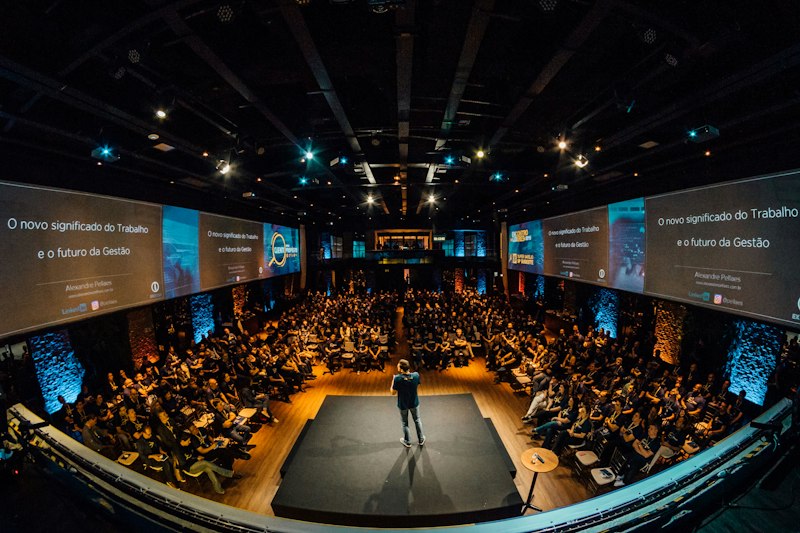
Virtual meetings require more structure and intentionality than their in-person counterparts

Email and Documentation Standards
Email in remote work serves a different function than it did in office environments. It’s not just for external communication or formal announcements — it becomes a critical tool for creating searchable, permanent records of decisions and discussions. This shift requires rethinking how you structure and write emails to serve both immediate communication needs and long-term documentation purposes.
Subject line discipline becomes vital when email threads become reference documents. Vague subjects like “quick question” or “following up” make it impossible to find important information later. Effective remote workers treat subject lines like file names in a well-organized system: specific enough to identify the content and consistent enough to enable searching. “Budget approval needed for Q2 marketing campaign” is infinitely more useful than “budget question” when someone needs to find that decision six months later.
Email structure for remote work requires more formality than casual office communication, but not the stiff corporate-speak that makes everything sound like a legal document. The goal is clarity and completeness without unnecessary verbosity. This means starting with the most important information, providing sufficient context for someone who wasn’t part of previous conversations, and ending with clear next steps or requests. A well-structured remote work email can stand alone as a complete communication, reducing the need for follow-up clarification.
Documentation standards extend beyond email to all written communication in remote teams. Every decision, process change, and project update should be documented in a way that makes it discoverable and useful to future team members. This doesn’t mean writing formal documentation for every small decision, but it does mean being intentional about capturing important information in searchable, organized formats. The test is simple: if someone joins your team in six months, can they understand how and why current processes work by reading your documentation?
Managing Digital Boundaries and Response Expectations
The “always available” trap destroys both productivity and well-being in remote work environments. Without physical separation between work and personal space, many remote workers feel pressure to respond immediately to every message, check Slack constantly, and prove their engagement through rapid communication. This creates a culture of performative availability that actually reduces work quality while increasing stress and burnout.
Setting explicit response time expectations eliminates the anxiety and guesswork that plague many remote teams. This means communicating your typical response patterns clearly: “I check email twice daily and respond within 24 hours for non-urgent items” or “I’m available for immediate response on Slack between 9 AM and 5 PM EST.” These boundaries aren’t selfish — they’re professional standards that help everyone plan their work more effectively. When people know your communication patterns, they can adjust their requests and expectations accordingly.
Emergency communication protocols become essential when you’re not physically present to handle urgent situations. This means establishing clear criteria for what constitutes an emergency, designating specific channels for urgent communication, and ensuring everyone knows how to escalate truly time-sensitive issues. Most “urgent” requests aren’t actually urgent — they’re just poorly planned. Having explicit emergency protocols helps distinguish between genuine crises and artificial urgency created by poor planning.
Notification management requires more sophistication in remote work because your communication tools become both essential work instruments and potential sources of constant distraction. This means customizing notifications based on importance and timing rather than accepting default settings that treat every message equally. You might enable immediate notifications for direct messages from your manager during business hours while batching all channel notifications to check every few hours. The goal is staying informed about important developments without fragmenting your attention throughout the day.

Cultural Sensitivity in Global Remote Teams
Remote teams often span multiple time zones, cultures, and communication styles, creating complexity that doesn’t exist in co-located teams. What feels like direct, efficient communication to someone from one culture might seem rude or abrupt to someone from another. These differences become amplified in text-based communication where tone and intent are harder to convey and interpret accurately.
Time zone consideration goes beyond just scheduling meetings at reasonable hours. It affects the entire rhythm of collaboration, from how quickly you expect responses to how you structure project timelines. When your team spans twelve time zones, the concept of “end of day” becomes meaningless, and you need to design workflows that accommodate natural delays in communication. This might mean building extra buffer time into project schedules, creating handoff protocols for work that moves between time zones, or establishing core collaboration hours when the maximum number of team members are available.
Language and communication style differences require extra attention in written communication where nuance is easily lost. Direct communication styles that work well in some cultures can seem harsh or demanding in text form, while indirect communication styles can seem evasive or unclear. The solution isn’t to homogenize communication styles but to develop awareness of these differences and adjust your approach based on your audience. This might mean adding extra context and politeness markers when communicating with team members from cultures that value indirect communication, or being more explicit about timelines and expectations when working with cultures that prefer direct communication.
Holiday and cultural observance awareness becomes a planning necessity rather than a nice-to-have consideration. When your team includes people celebrating different holidays, observing different religious practices, and working within different cultural expectations about work-life balance, you need systems that accommodate this diversity without creating unfair burdens on any team members. This means maintaining shared calendars that include everyone’s important dates, planning project timelines that account for different holiday schedules, and creating coverage protocols that don’t consistently burden the same people.
Remote work communication etiquette isn’t about following arbitrary rules — it’s about creating systems that help distributed teams collaborate effectively while respecting individual boundaries and cultural differences. The teams that master these skills don’t just survive remote work; they thrive in ways that co-located teams often can’t match. They make decisions faster because their communication is more structured, they maintain better work-life balance because their boundaries are explicit, and they build stronger relationships because their interactions are more intentional and respectful.
The investment in learning these skills pays dividends that extend far beyond your current job. As remote work becomes increasingly common across industries, the ability to communicate effectively in distributed teams becomes a career differentiator. The people who master remote communication etiquette don’t just adapt to the future of work — they help shape it.